
AI Dance Prompt: The Exact Prompt We Use, With Tips
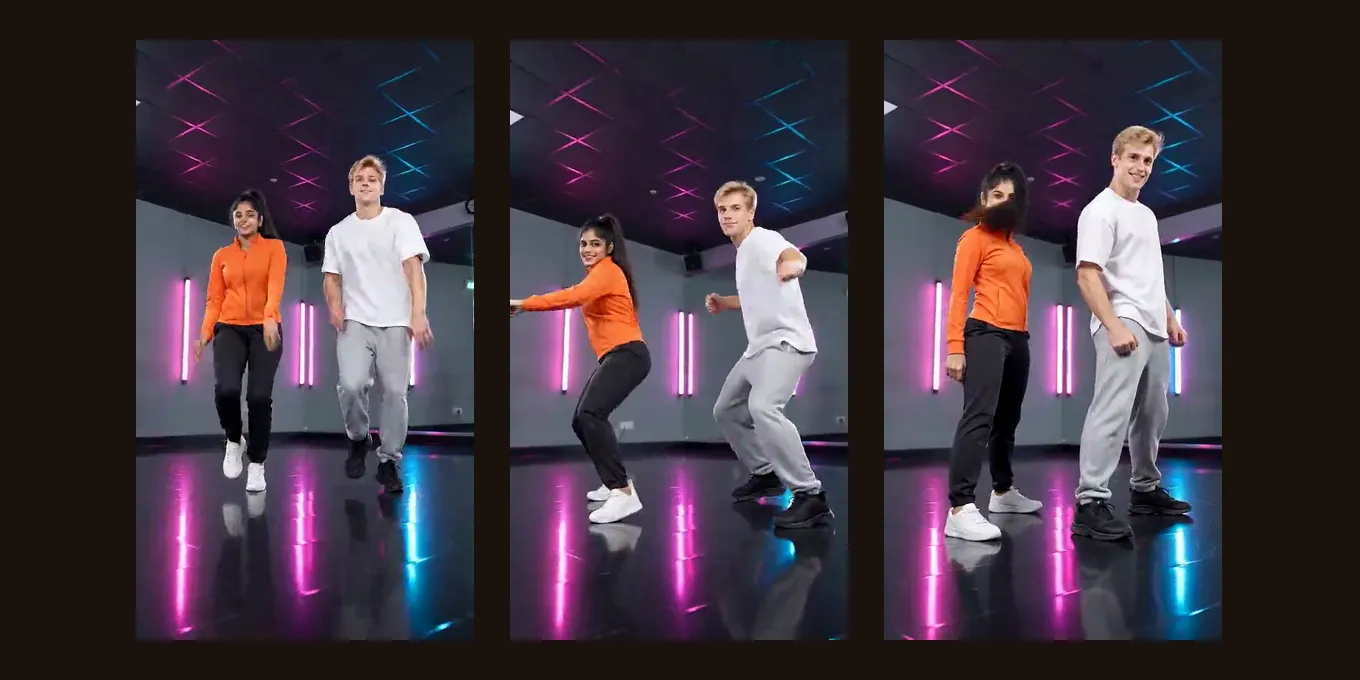
Looking for a good AI dance prompt? Below is the exact prompt our generator sends for its dance video, word for word, the same text that made our test render, and what each part is for. Copy it into any image-to-video tool, or change the parts you want.
To skip the prompt, the AI dance video effect here takes one or two photos and sends it for you: 5 seconds, 9:16, 4 credits at 720p.
Updated
AI DANCE · PROMPT
1
The exact prompt we use
- Word for word
- Each line explained
- No-prompt way
The AI dance prompt, word for word
A bright dance studio at night with neon light strips on the walls and a glossy floor that reflects the colors. The two people from reference image 1 and reference image 2 dance a smooth, energetic routine on the beat, full body, in the clothes from their photos: bouncy steps, arm swings, a quick spin, then a sharp final pose facing the camera with a big smile. The camera stays wide enough to keep them in frame from head to toe. Frame: 9:16.

Keep each face, hairstyle and outfit exactly as in the photos; ignore the photo backgrounds. The two people appear together in the same shot from the first frame.

Photorealistic, cinematic light, smooth continuous motion. No split screen, no captions or text on screen. Sound: an upbeat, original dance track with a driving kick drum and bright synths; no speech.
“reference image 1” and “reference image 2” are your two photos. For one person, write “the person from reference image 1” and drop the last sentence of the second paragraph. In another tool, use its own word for your photo.
No prompt needed
Make it here from a photo
One or two photos; the prompt above is sent for you. The button shows the credits before you create.
Your two performers
A clear, well-lit photo works best. Two photos put two people side by side.
Choose the stage
Video settings
What should they rap about?
Ready in about 3 minutes; failed generations return your credits. View pricing
What each part of the prompt does
- Neon studio and glossy floor: a simple, bright place that does not compete with the dancers.
- On the beat, full body: keeps the whole person dancing, not just the arms.
- In the clothes from their photos: stops the model from dressing them in a costume.
- Bouncy steps, arm swings, a quick spin, a final pose: a short routine with an ending.
- Camera wide enough for head to toe: feet and hands stay in frame.
- Keep each face, hairstyle and outfit: so the dancers still look like the photos.
- Together from the first frame: two people start side by side instead of one walking in.
- An original dance track, no speech: music the model writes, with no lyrics or brand.
Our test render with this prompt
We made it on 5 October 2026 with two AI-made people: Seedance 2.0 Mini, 480p, 5 seconds, 9:16. They bounce, step and swing their arms in the neon studio, full length the whole time, and keep their faces and clothes. There is a half turn rather than a full spin, and they end standing and smiling rather than in a sharp pose. It is one render, not a guarantee.
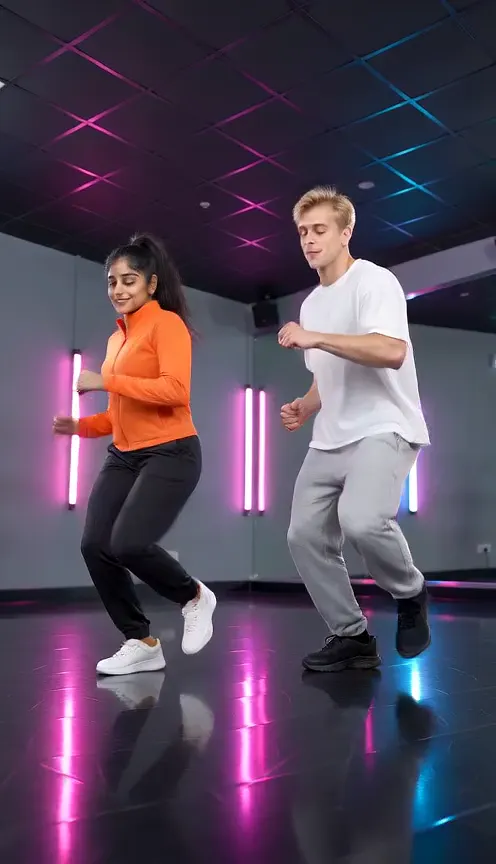
Seedance 2.0 Mini · 480p · 5 s · 9:16
- Product test render, made outside the website with our generation pipeline.
- Audio: music the model wrote for the effect.
- Web preview: 496 × 864, compressed for playback. The settings above describe the original render.
Ways to change the prompt
- Another place: replace the first sentence, for example “a rooftop at sunset” or “a living room with fairy lights”.
- Another style: replace the moves with “slow, swaying salsa steps” or “a hip-hop routine with sharp hits on the beat”.
- A pet: describe it as “the dog from reference image 1 bounces on its back legs”; we have not tested pets with this prompt.
- Keep the “keep each face” sentence whatever you change: it is what holds the likeness.
- Copying a real TikTok choreography is not something a text prompt does well; motion-copy tools that take a reference video do that.
FAQ
What is a good AI dance prompt?
One that names the place, the moves, full-body framing, the clothes from the photo and an ending pose, and tells the model to keep each face. Ours above does all of that.
Can I make an AI dance video without a prompt?
Yes. On Hotel Lobby Video (rapaivideo.net) the Dance effect takes one or two photos and sends the prompt for you: 5 seconds, 9:16, 4 credits at 720p.
Can the prompt copy a TikTok dance?
Not exactly. A prompt describes moves in words; to copy a specific choreography you need a tool that takes a reference video.
Does the AI dance video have music?
Yes. The model writes an original dance track for it, with no speech. It is not a chart song.
Can I use this prompt in Gemini or ChatGPT?
Only in a mode that makes video from a photo. A chat that makes still pictures gives you one frame, not the dance.
Read next
How to Do the AI Dance Trend: CapCut, Apps or One Photo
How to do the AI dance trend on TikTok: a CapCut dance template from a post (the free way, one fixed dance), an app effect, or a one-photo dance clip here, with the steps and how to add the trend’s sound
Car Jump AI Prompt: The Exact Prompt We Use, With Tips
Car jump AI prompt: the exact prompt our generator sends for the desert car jump, what each line does, how to use it in other video tools, and the one-photo way with no prompt at all
Hotel Lobby AI Prompts: Our Exact Prompt and 5 to Copy
The exact Hotel Lobby AI prompts our generator sends (Wan 3.0 with the Hotel Lobby track, and Seedance with an AI rap), what each line does, and five photo-only prompts to copy for couples, friends, family, characters and pets
Hotel Lobby Video is an independent tool, not affiliated with Quavo, Takeoff, Migos, Quality Control Music, Motown or COLORS.