
Hotel Lobby AI Prompts: Our Exact Prompt and 5 to Copy
Most Hotel Lobby AI prompts online are guesses. These are not: they are the prompts our generator uses for Hotel Lobby videos. The first is for our default model, Wan 3.0, which keeps the Hotel Lobby track; the second is the Seedance version, which writes an original rap. Copy them, adapt them to your tool, or skip them and let the generator do the work. Further down are five prompts for tools that take only two photos: a couple, best friends, a grandparent and grandchild, illustrated characters and pets.
Updated
HOTEL LOBBY AI PROMPT
Direct the performance
- People
- Motion
- Sound
The prompt
This is the version for two photos in landscape (16:9 or 4:3, the default): the ratio goes to the model as a setting, not in the text. Vertical and square videos (9:16, 3:4, 1:1) copy a different, vertical reference clip, so their third paragraph is the older one: the subjects replace the two people in the clip completely, and neither wears gloves. Before the render, each photo is redrawn as a full-length studio portrait of the same person or pet (GPT Image 2), and the model receives four attachments in this order: Image 1 is the left portrait, Image 2 the right one, Video 1 the Hotel Lobby reference clip without its sound and Audio 1 the Hotel Lobby track, cut to the same length.
Follow Video 1 from start to finish: copy its framing, its timing and every movement, gesture, head turn, facial expression and mouth shape, along with the plain orange background and the silver microphone hanging from the ceiling between the two performers. Keep the camera framing of Video 1: no push-in, no pull-back, no pan. Do not add any movement or scene element that is not in Video 1.

Use Audio 1 as the background music for the whole video, exactly as it is: it is the entire sound of the video. Do not write new lyrics, do not re-sing it, do not add other music or voices.

The performer on the left is the subject in Image 1; the performer on the right is the subject in Image 2. They completely replace the two people in Video 1: the left subject stands where the person on the left of Video 1 stands and the right subject where the person on the right stands, in every frame as close to the camera as that person and as large in the frame. Face, hair or fur, build and clothes all come from the photos and stay the same from the first frame to the last. The blue and red gown of the person on the left of Video 1 and the dark sweater of the person on the right are only their own clothes, there only as a reference for the moves: do not put them on the subjects. If a subject is an animal, it stands upright on its two hind legs like a person and gestures with its front paws; it is as tall as the person on the same side of Video 1, both hind feet stay planted on the ground, with natural proportions between legs and body and no floating above the floor; it is that same animal from the first frame to the last, keeps its own look, with no clothes added, and none of that person’s body or clothes stays in the frame. Ignore the photo backgrounds.

The left performer raps the vocals of Audio 1 into the microphone, lips precisely in sync with Audio 1. The right performer follows the moves of the person on the right in Video 1: reacting and gesturing on the beat, mouthing only short ad-libs.

Orange fills the whole frame, with no black areas or dark corners. No split screen, no extra people, no captions or text on screen. Faces stay consistent from start to end.
The AI rap version (Seedance)
On Seedance the sound is always an AI rap: the model writes a new song itself. In the Hotel Lobby booth it hears the Hotel Lobby track while it writes: the reference clip goes up without its sound, the track goes up on its own as reference audio 1, and the prompt asks for a new beat that follows its rhythm, with new lyrics and without its melody or voices. Attachments are named in words (“reference image 1”). This one is for the example topic below.
Use reference video 1 for the whole performance: copy its framing, timing and every movement, gesture, head turn, facial expression and mouth movement, the plain orange background and the single silver microphone hanging between the performers. Keep the camera framing of reference video 1: no zoom in, no zoom out, no pan. Do not add any movement or scene element that is not in reference video 1.

Performer on the left: the person in reference image 1. Performer on the right: the person in reference image 2. They replace the two people in reference video 1 completely: face, hair, body and clothes come from the photos, nothing from the people in reference video 1. If a photo shows none of a person's clothes (a face-only crop or bare shoulders), dress that person in plain everyday clothes that suit them, such as a simple T-shirt and jeans; never the costume, cape, coat, belts, gloves or blindfold of the people in reference video 1. Animals stay as they are, with no clothes added. Ignore the photo backgrounds.

Soundtrack: an original dark Atlanta trap song made for this video that follows reference audio 1 for its beat and rhythm: the same tempo, groove, drum pattern and bounce, timed to the moves in reference video 1. Make a new beat in that style with new lyrics; do not reuse the lyrics, melody or voices of reference audio 1. Sparse but hard-hitting: a thumping, gritty 808 that slides between notes, a piercing snare-clap with sharp hi-hats, and one eerie, Eastern-tinged melody loop. Dark, menacing, confident mood. The rap is a fast, bouncy triplet flow riding on top of the slow beat. Mix: vocals clear on top, the beat right behind them at nearly the same level, loud and punchy, never quiet and never dropping out between lines. The left performer raps an original, clean verse into the hanging microphone about: "Maya’s 30th birthday and her terrible parallel parking". Rap in the language of that topic. Clear rap vocals, lips in sync with every word, natural head nods and expressive mouth movement. The right performer is the hype partner, pointing at the rapper, reacting, smiling and adding short ad-libs on the beat. Do not use any existing song, existing lyrics or the voice of any real artist.

9:16. The orange fills the whole frame edge to edge, with no black or dark areas. No split screen, no extra people, no captions or text on screen. Faces stay consistent from start to end.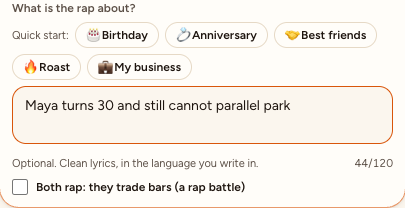
What each part does
- The moves. The first paragraph hands everything to Video 1: its framing, timing and every movement, gesture, head turn, expression and mouth shape, the plain orange background and the one silver microphone hanging between the performers. It holds the camera still (no push-in, pull-back or pan) and rules out anything the clip does not have.
- The sound. Audio 1 is the whole soundtrack and stays as it is: no new lyrics, no re-singing, no other music or voices.
- The identities. Each picture is tied to one side, and each subject stands where the person on that side of the clip stands, as close to the camera and as large in the frame. Face, hair or fur, body and clothes come from the pictures and stay the same from the first frame to the last; the backgrounds are ignored. It says “the subject in Image 1”, not man or woman, so it fits a person or a pet and never contradicts the photo. It names what the two people in our reference clip wear (a blue and red gown, a dark sweater) only so the model does not draw it on your subjects. Since October 17, 2026 the landscape clip shows two people in ordinary clothes; the fantasy stand-ins in the earlier clip sometimes left their gloves, a blindfold or a whole costume in the video. Since October 22, 2026 its last sentence also asks an animal to stand upright, as tall as the person on its side, and to stay that animal to the last frame: in tests with this clip, the shorter wording let the clip’s person take a dog’s place. The front paws are still often drawn as hands.
- The roles. The left performer raps the vocals of Audio 1, lips in sync; the right one copies the hype partner in the clip, reacting and gesturing on the beat with only short ad-libs.
- The guard rails. Orange from edge to edge with no black or dark corners, no split screen, no extra people, no captions, faces consistent from start to end. These stop the most common failures.
How to use it in another AI video tool
- It needs a model that accepts reference images, a reference video and a reference audio track, and keeps the track. Wan 3.0 does; ByteDance Seedance 2.x takes all three but wrote new music in our tests.
- Name the attachments the way your tool expects. Here they are numbered in upload order (Image 1, Image 2, Video 1, Audio 1); some tools want @Image1 or their own tags. Keep the order: left photo first, right photo second.
- Keep the performers neutral. “The subject in Image 1” fits whoever is in the picture, person or pet; our generator changes only the photo layout (two photos or one of both) and, with your own clip, the moves.
- The format is not in the text: pick 9:16, 16:9 or 1:1 in the tool’s settings.
- Without a reference clip, describe the booth and the moves in words instead of pointing at Video 1. Tools such as Dreamina publish their own text-only prompts for this. We have only tested the versions above.
Hotel Lobby AI prompts for two photos, no reference clip
Many AI video tools take reference photos but no reference clip. These five prompts describe the booth and the moves in words instead, so you can paste them into an image-to-video tool that accepts two photos. They keep the rules that make the format work: one photo per side, one hanging microphone, one performer leads while the other reacts, and a camera that never moves. We wrote them for this guide and have not tested them; every tool reads prompts a little differently, so expect a retry or two.
Hotel Lobby AI prompt for a couple
Create a 12-second vertical 9:16 video from two reference photos. The person in image 1 stands on the LEFT and the person in image 2 on the RIGHT, both full body, each keeping their own face, hair, clothes and height. They are a couple performing a rap duet in a plain, evenly lit orange studio: orange wall and floor, nothing else in the room. One silver condenser microphone hangs from the ceiling on a thin cable, centered between them. The left performer raps into the microphone with confident hand gestures; the right performer laughs, points and dances on the beat, then leans in for the last line. One continuous shot from a fixed camera at chest height: no cuts, zooms or pans. No other people, no captions, no logos.For best friends
Create a 12-second vertical 9:16 video from two reference photos of two adult best friends. Image 1 is on the LEFT, image 2 on the RIGHT, both full body, keeping each face, hairstyle, outfit and body shape exactly. Setting: a plain orange studio with a seamless orange wall and floor and one silver microphone hanging from the ceiling between them. For the first half the left friend raps into the microphone while the right friend nods, grins and hypes with big gestures; for the second half they swap, and the left friend reacts. Their moves stay independent, never mirrored. Fixed camera, one continuous take, soft even light, both bodies and feet visible. No extra people, props, text or logos.For a grandparent and grandchild
Create a 12-second vertical 9:16 video from two reference photos. Image 1 is an older adult on the LEFT and image 2 is their adult grandchild on the RIGHT, both full body, each keeping their own face, hair, clothes and height. They perform a rap duet in a plain orange studio with one silver microphone hanging from the ceiling between them. The grandparent raps into the microphone with slow, deliberate, confident gestures; the grandchild looks amazed, laughs and dances on the beat, then joins in for the last line. Natural, comfortable movement for both. One fixed, continuous shot with even studio light: no cuts, zooms or pans, no other people, no captions.For anime or cartoon characters
Use characters you drew or have the rights to; well-known characters belong to someone else.
Create a 12-second vertical 9:16 video from two reference images of original illustrated characters. The character in image 1 stands on the LEFT and the character in image 2 on the RIGHT, full body, each keeping its art style, colors, proportions and outfit exactly; render both in that same style. They perform a rap duet in a plain orange studio with one silver microphone hanging from the ceiling between them. The left character raps into the microphone with expressive hand gestures; the right character reacts, points and dances on the beat. One fixed camera, one continuous take, no cuts, zooms or pans. No extra characters, no text, no logos.Hotel Lobby AI prompt for pets
Cats and dogs were some of the first viral Hotel Lobby clips, made with other tools (see them here). Use one sharp photo per animal, whole body in view.
Create a 12-second vertical 9:16 video from two reference photos of pets. The animal in image 1 stands upright on its hind legs on the LEFT and the animal in image 2 on the RIGHT, each keeping its breed, face, eye color, fur pattern, size and collar. They are in a plain orange studio with one silver microphone hanging from the ceiling between them. The left animal moves its mouth to the beat and gestures with its front paws as if rapping into the microphone; the right animal bobs its head, looks at the camera and dances on the beat. Natural anatomy: four legs and one tail each, both fully visible from ears to paws. One fixed, continuous shot. No people, no extra animals, no text.On our generator you need none of these prompts, for people or pets: the prompt is built in, and the pet rap video page starts it for a pet and its duo. We have tested a dog next to a person; cats and two pets together are not tested yet.
Common problems and fixes
| Problem | Likely cause | Fix |
|---|---|---|
| Faces drift or look like someone else | Side profile, sunglasses or a small face in the photo | Use front-facing, well-lit photos, waist up |
| The two people swap sides | The prompt does not tie each photo to a side | Name the left and right performer with their image |
| A third person appears | The model copies people from the reference or a photo background | Keep “no extra people” and “ignore the photo backgrounds” |
| Words appear on screen | The model adds captions | Keep “no captions or text on screen” |
| Lips do not match the audio | No audio attached, or the audio starts on silence | Attach the track and start it on a word |
| Black edges around the orange | The prompt asks for a camera move the clip does not have | Hold the clip’s framing and ask for orange from edge to edge |
| New music instead of the track | The model writes its own soundtrack (Seedance 2.x did in our tests) | Use a model that keeps the reference track, such as Wan 3.0 |
Or skip the prompt
On Hotel Lobby Video this prompt, the reference clip and the reference track are built in. You add two photos and create. A 12 s video on Wan 3.0 at 480p is 6 credits.
FAQ
What is the best prompt for the Hotel Lobby AI trend?
One that fixes the booth, the single hanging mic, which photo stands on which side, and what each person does. The prompt above is the one our generator uses for every video.
Which AI model does this prompt work with?
We use the first with Wan 3.0, which keeps the reference track, and the AI rap version with Seedance 2.x, which writes its own music. Both take reference images, a reference video and a reference audio track. Other models need their own mention syntax and may not accept all three.
Is there a Hotel Lobby AI prompt for pets?
Yes, the pet prompt above, for tools that take two photos: one photo per animal, each tied to a side, standing upright with natural anatomy. On Hotel Lobby Video you need no prompt: the pet rap video page is set up for a pet and its duo. We have tested a dog next to a person; cats and two pets together are not tested yet.
Can I paste these prompts into Dreamina, Kling or another tool?
The five photo-only prompts are written for image-to-video tools that take two reference photos. Name the photos the way your tool does and keep left and right fixed. We have not tested them in other tools.
Do I need a prompt to make a Hotel Lobby AI video?
Not on a two-photo generator. On Hotel Lobby Video the prompt is built in; you only add the photos.
Sources
Read next
How to Do the Hotel Lobby Trend: 3 Ways, Step by Step (2026)
Three ways to do the Hotel Lobby AI trend (two-photo generator, AI video prompt, editor template), with steps, costs, free options and tips
Best Hotel Lobby AI Video Generators (Checked Oct 22, 2026)
A dated comparison of Hotel Lobby AI video generators (Hotel Lobby Video, Make Hotel Lobby, HotelLobby.me, Remake Your Meme, Rap Duo AI, LightX, Dreamina, Fuzana and more) from their own pages
Which Photos Work Best for Hotel Lobby AI Videos?
A photo checklist for Hotel Lobby AI: what to pick, what the redraw does to your photo, two photos or one, and what better photos cannot fix
Hotel Lobby Video is an independent tool, not affiliated with Quavo, Takeoff, Migos, Quality Control Music, Motown or COLORS.