
How to Do the AI Dance Trend: CapCut, Apps or One Photo
The AI dance trend makes someone in a photo dance: a friend, a grandparent, a pet or a cartoon character. Each wave has its own dance and song, and most people copy it with a CapCut template linked from a TikTok post: you add one photo and the template makes it do that exact dance.
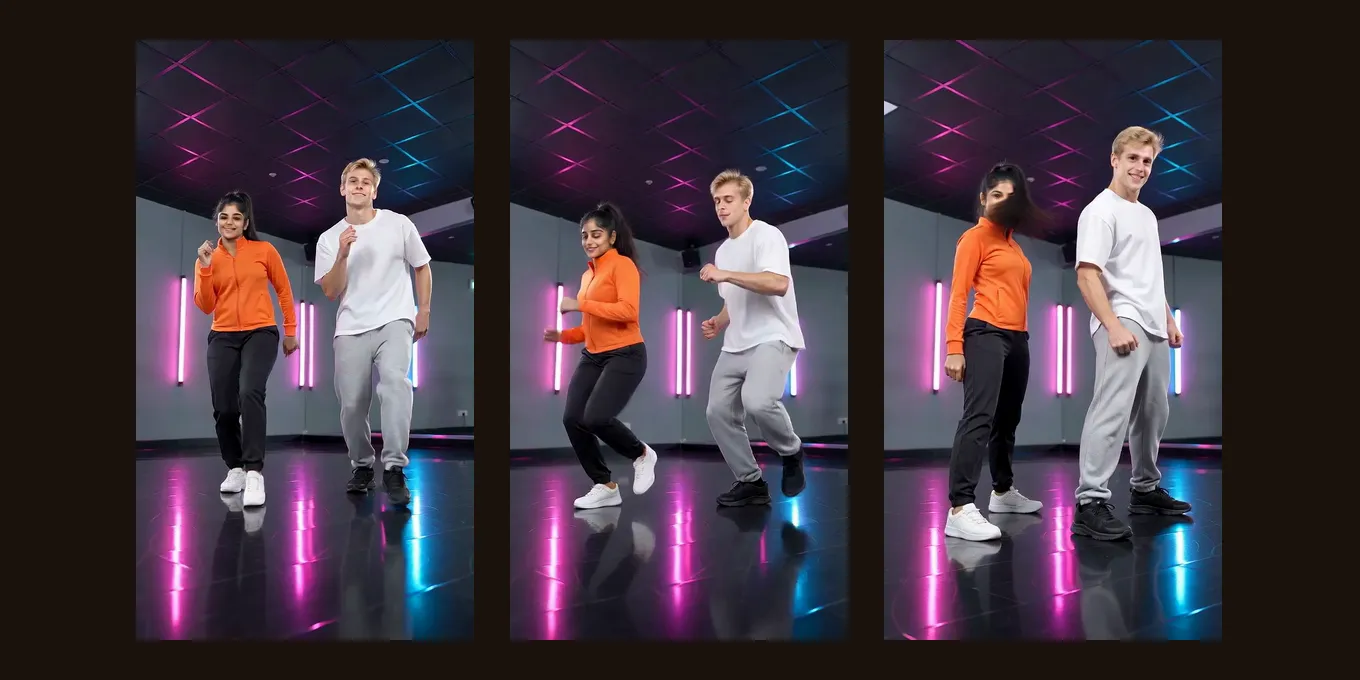
There are three ways to do it, below. The template is the quickest way to copy one specific TikTok dance. The AI dance video effect here makes your own routine from one photo, head to toe in your own clothes, 4 credits for 5 seconds at 720p.
Updated
AI DANCE TREND · HOW TO
3
Three ways to do it
- CapCut template
- An app
- One photo
Three ways to do the AI dance trend
| Way | What you add | Which dance | Sound |
|---|---|---|---|
| A CapCut template from a TikTok post | One photo | That trend’s exact dance | Usually the trend’s song |
| A dance effect in an app | One photo | Whatever the app offers | Picked in the app |
| The Dance effect here | One photo, or one per person for a duo | A routine in a neon studio, not a copy of a TikTok dance | An original track; swap it for the trend’s song in TikTok |
A 3D character doing the Shake It AI dance: 65.8M views on TikTok by 16 Oct 2026.by @pokko42 · Watch on TikTok A fluffy 3D creature dancing, 30.8M views: cartoon characters are among the most watched AI dance posts.by @nimbus.studio · Watch on TikTok
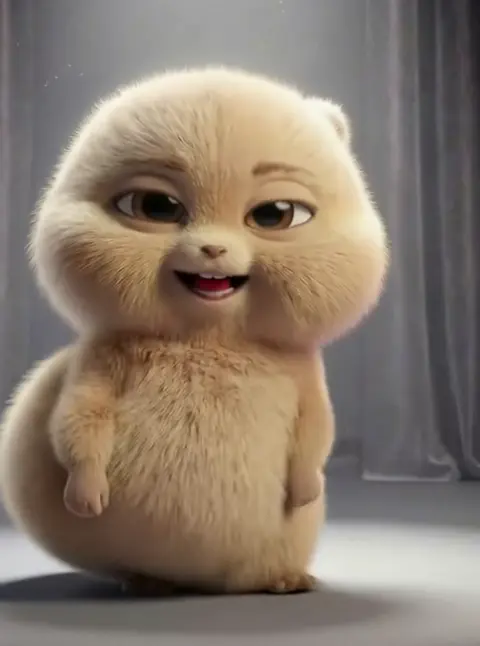
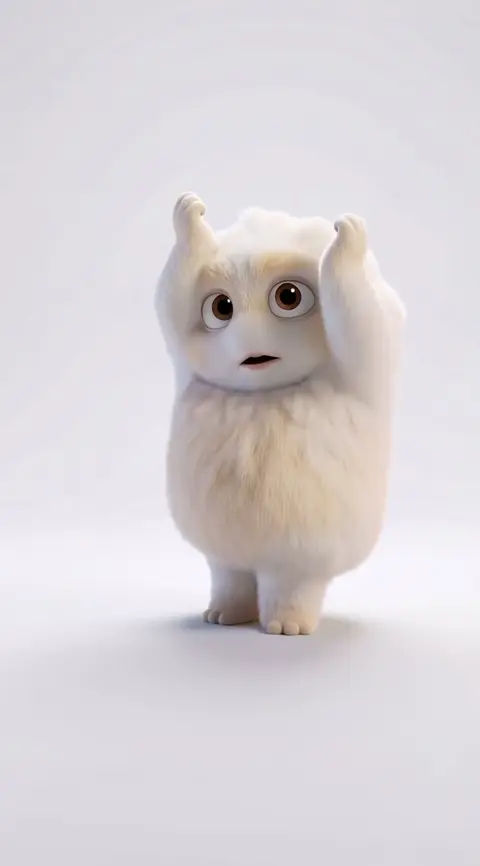
TikTok posts by other creators, shown with credit and linked to the original. Hover to play; sound starts off.
Way 3
Make your AI dance video here
One full-length photo, or one per person. The button shows the credits before you create.
Your two performers
A clear, well-lit photo works best. Two photos put two people side by side.
Choose the stage
Video settings
What should they rap about?
Ready in about 3 minutes; failed generations return your credits. View pricing
Way 1: copy a TikTok dance with a CapCut template
- Find a post of the dance you want with a CapCut label above the caption (“CapCut · Try this template”).
- Tap the label, then Use template in CapCut. Install CapCut first if you do not have it.
- Pick one photo. A full-length photo of one person, standing, gives the template the whole body to move.
- Export and post. Tutorials show the same steps for the baby dance and other templates (TikTok).
Can’t find the label? Open the creator’s profile and open the post again. Templates are fixed: you cannot change the dance, the room or the number of dancers.
Way 2: a dance effect in an app
Photo-animation apps and video models (Kling, PixVerse and others) have dance effects and dance prompts. They give more choice than one template, and each charges in its own credits. Check the free tier and the watermark on the app’s own page first.
Way 3: a dance clip from one photo here
- Pick a full-length photo, face clear. For a duo, one photo of each person, or one photo of both.
- Open the AI dance video page or the generator below. Dance is already selected under Effects.
- Tap create. It runs on Seedance 2.0 Mini at 720p, 5 seconds, 9:16, for 4 credits; the provider quotes up to about 5 minutes. There is no free preview.
- Download the MP4 and post it. To ride the trend, pick the trend’s song in TikTok’s sound picker.
You get a neon-lit studio, a glossy floor, bouncy steps, arm swings, a quick spin and a final pose, in the clothes from your photo. In our test, two adults from full-length photos stayed in frame head to toe for the whole clip.
Want your own moves instead?
Film yourself doing the dance and use that clip as the moves: on the own dance video page your clip drives two people from your photos in the orange Hotel Lobby booth. For a famous viral clip re-made with you, see Bulin 47 AI.
Tips before you post
- Use a full-length photo: a head-and-shoulders photo leaves the model guessing the legs.
- Pets and cartoon characters work in many templates; real children fall under TikTok’s AI rules.
- Turn on TikTok’s AI-generated label. TikTok does not allow AI content showing anyone under 18, or adults who are private people without their permission (TikTok).
- Keep it 9:16 for TikTok and Reels.
FAQ
How do you do the AI dance trend on TikTok?
Open a post of the dance with a CapCut label, tap it, choose Use template, add one photo, export and post. For your own routine from a photo, the Dance effect here makes one without a template.
How do I do the AI dance trend for free?
Opening a CapCut template is free in the app; check CapCut for export limits. The Dance effect on Hotel Lobby Video (rapaivideo.net) is paid: 4 credits for 5 seconds at 720p. There is no free preview.
Why is there no “Try this template” on the video?
Not every dance post was made from a template, and creators remove some. Open the creator’s profile and open the post again, or search CapCut’s Templates for the dance’s name.
Can I make two people dance?
Many templates have one slot. The Dance effect here takes two photos, or one photo of both, and both dance in the same shot.
Does the AI dance copy the trend’s song?
A template usually comes with it. The Dance effect here has an original track; add the trend’s sound from TikTok’s library when you post.
Sources
Read next
How to Do the AI Hug Trend on TikTok, Step by Step
How to do the AI hug trend on TikTok: the three versions (your younger self, someone you lost, someone far away), three ways to make it (a chatbot photo, an app or template video, a two-photo effect) and TikTok’s rules
How to Make the Bulin 47 AI Video: Three Ways, Step by Step
How to make the Bulin 47 AI video: the three ways people do it (a one-photo effect, motion transfer in Higgsfield, Kling or Dreamina, a CapCut edit), step by step, with the sound and the limits
How to Make a Hotel Lobby AI Video on Your Phone (No App)
The whole Hotel Lobby AI video in a phone browser, from camera-roll photos to saving the MP4 in Photos, with iPhone steps we tested
Hotel Lobby Video is an independent tool, not affiliated with Quavo, Takeoff, Migos, Quality Control Music, Motown or COLORS.